The short version
- First check that your eTaxBC profile allows third parties to ask for access. It's on by default.
- We send the request from our side, using your PST number. eTaxBC emails you when it arrives.
- You approve it under Manage My Profile, More..., View Third-Party Requests for Access.
- Choose File Returns if you pay PST yourself, or File Returns and Make Payments if we pay it for you.
- You can change or remove our access at any time.
1. Log on to eTaxBC
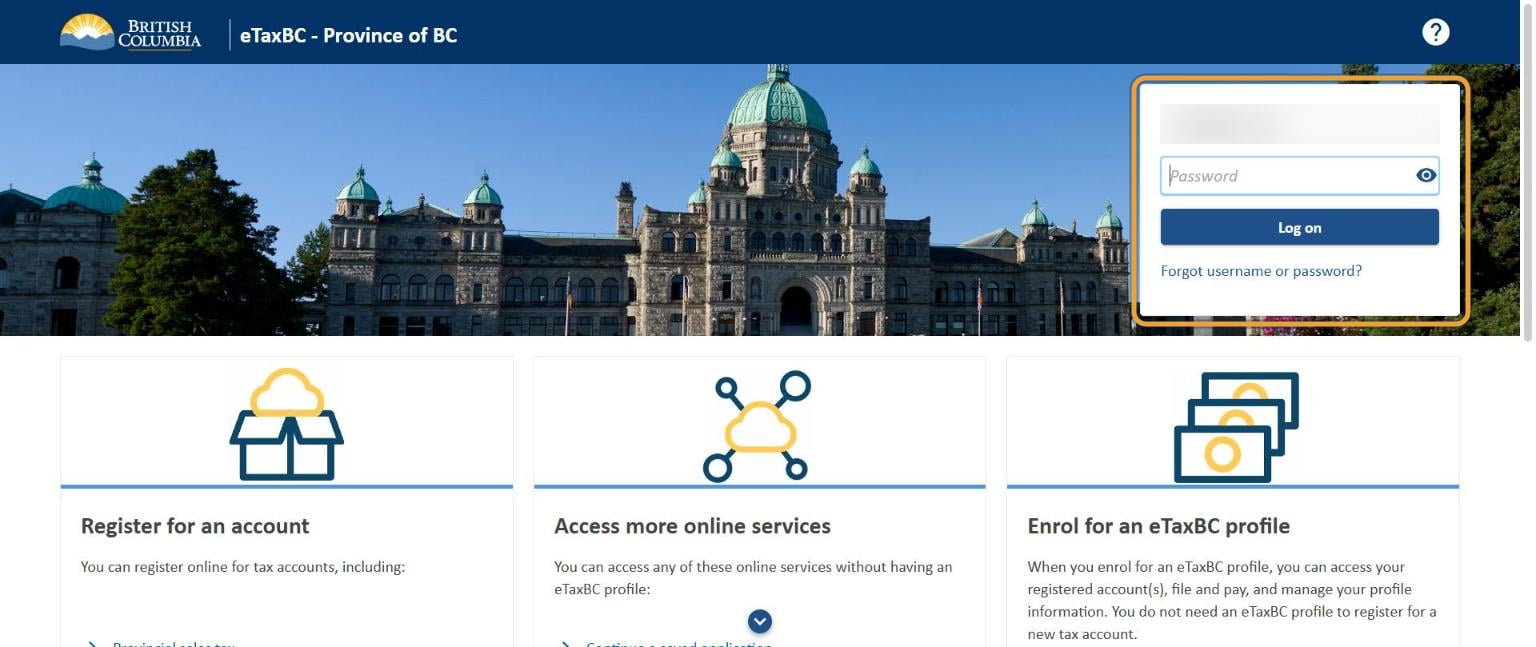
Go to eTaxBC and log on. If you've never used it, choose Enrol for an eTaxBC profile; you'll need your PST number.
2. Open Manage My Profile
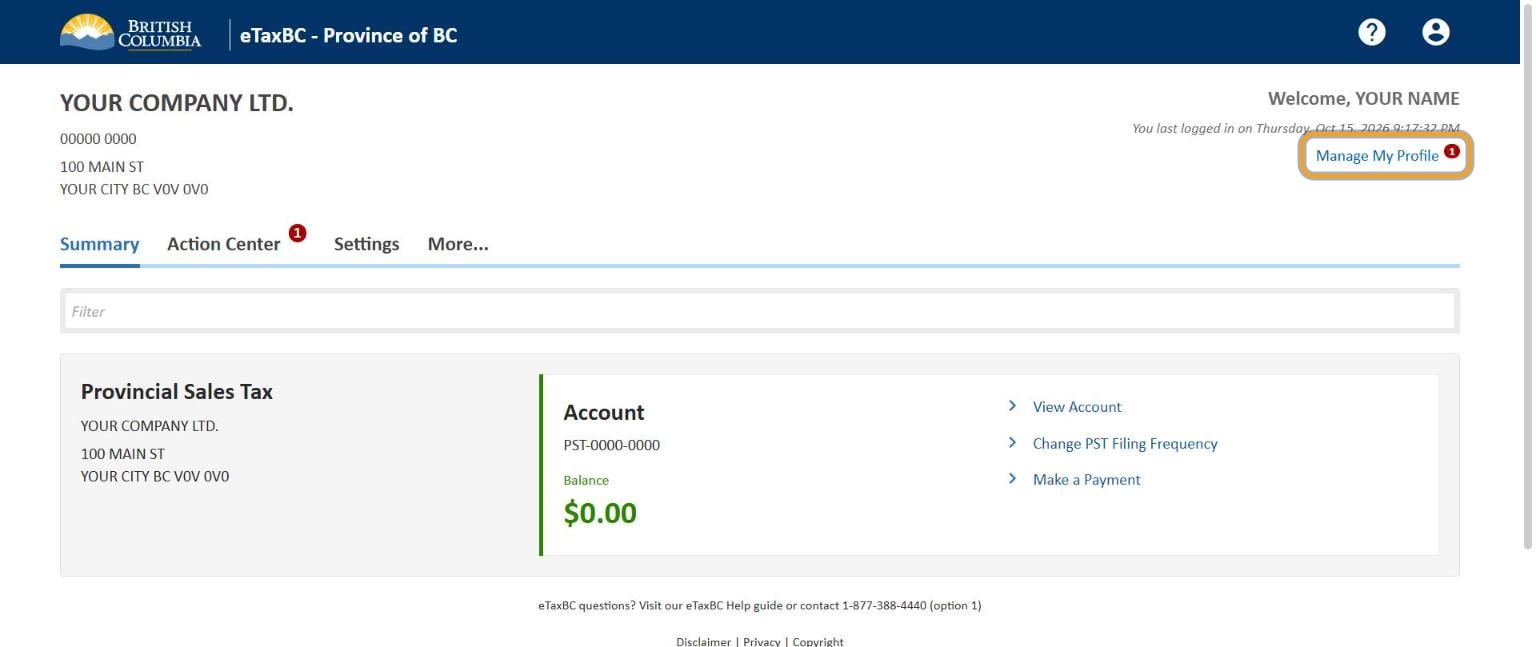
Your summary page opens. At the top right, select Manage My Profile.
3. Select More...
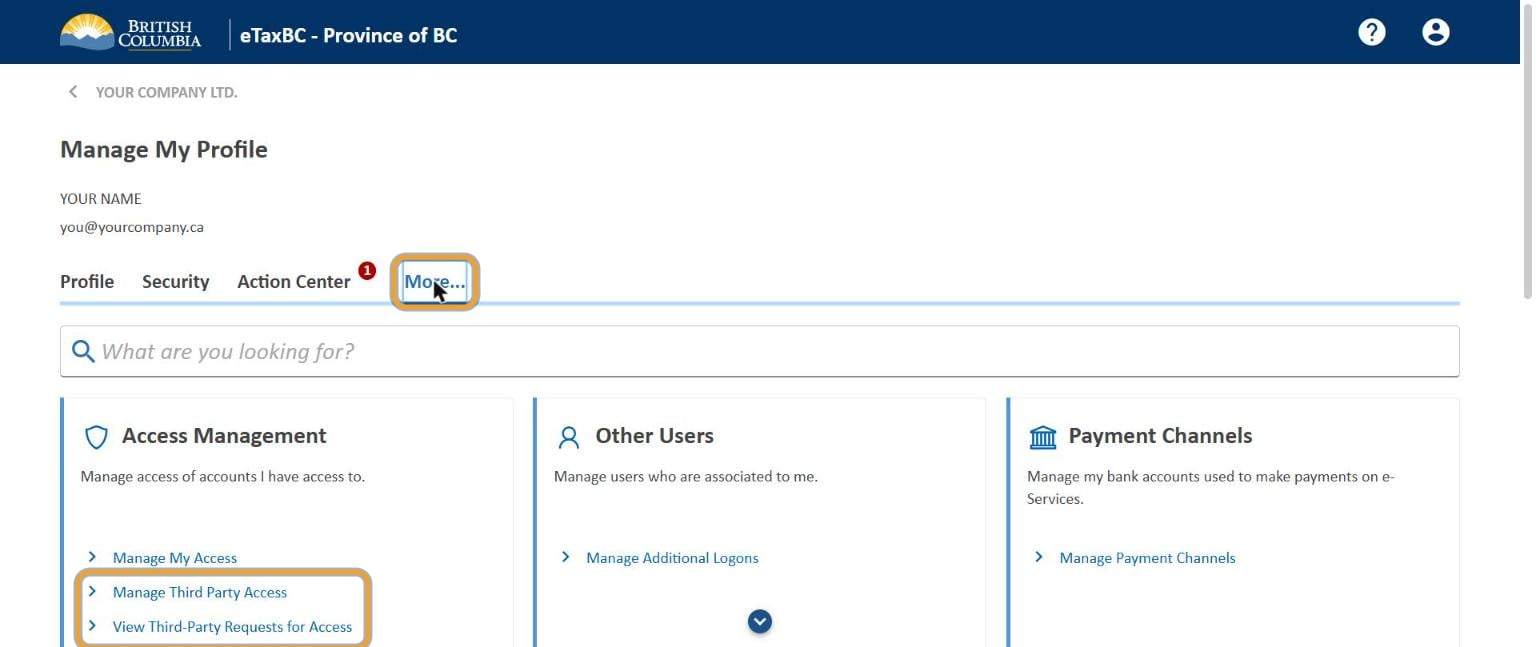
Select the More... tab. The Access Management panel has the two links you need: Manage Third Party Access and View Third-Party Requests for Access.
4. Check that third parties may ask
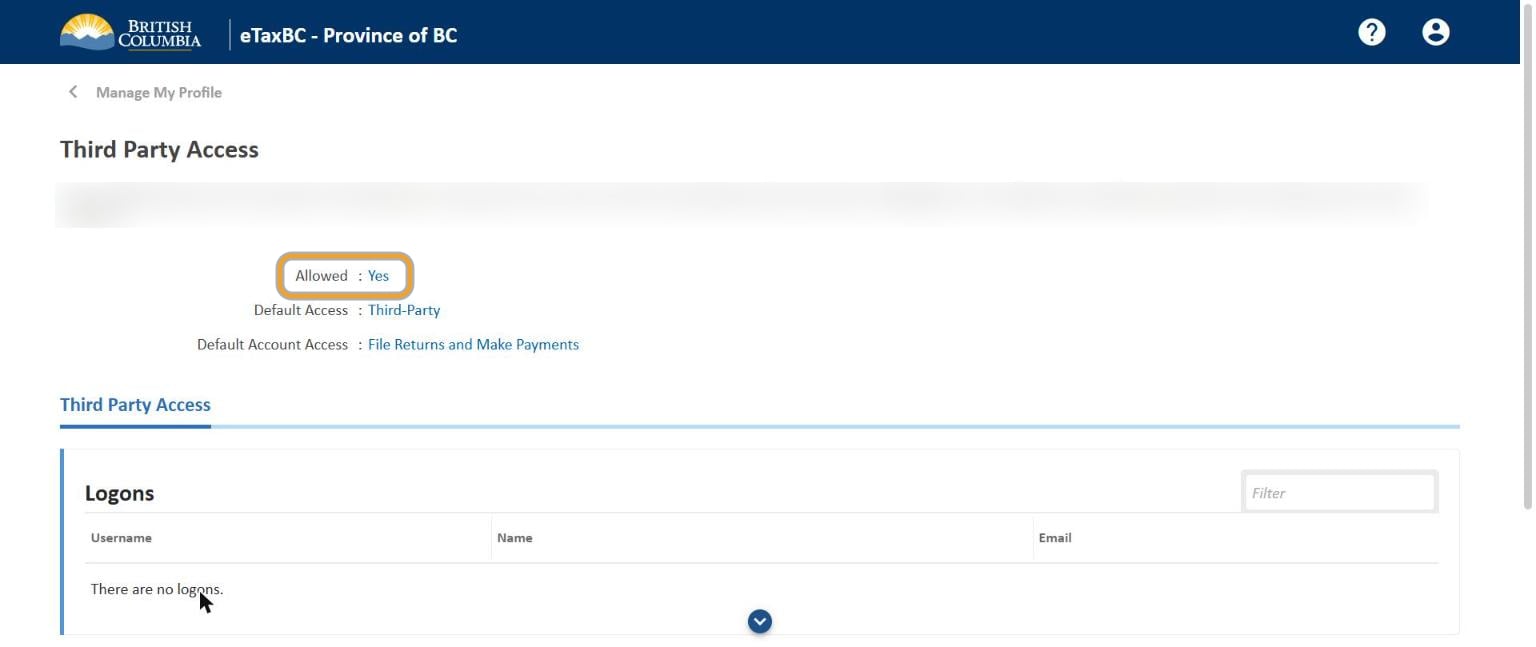
Select Manage Third Party Access. Allowed should say Yes. If it says No, change it to Yes, or our request can't reach you. You can leave the default access as it is: you choose the level when you approve.
5. Approve our request
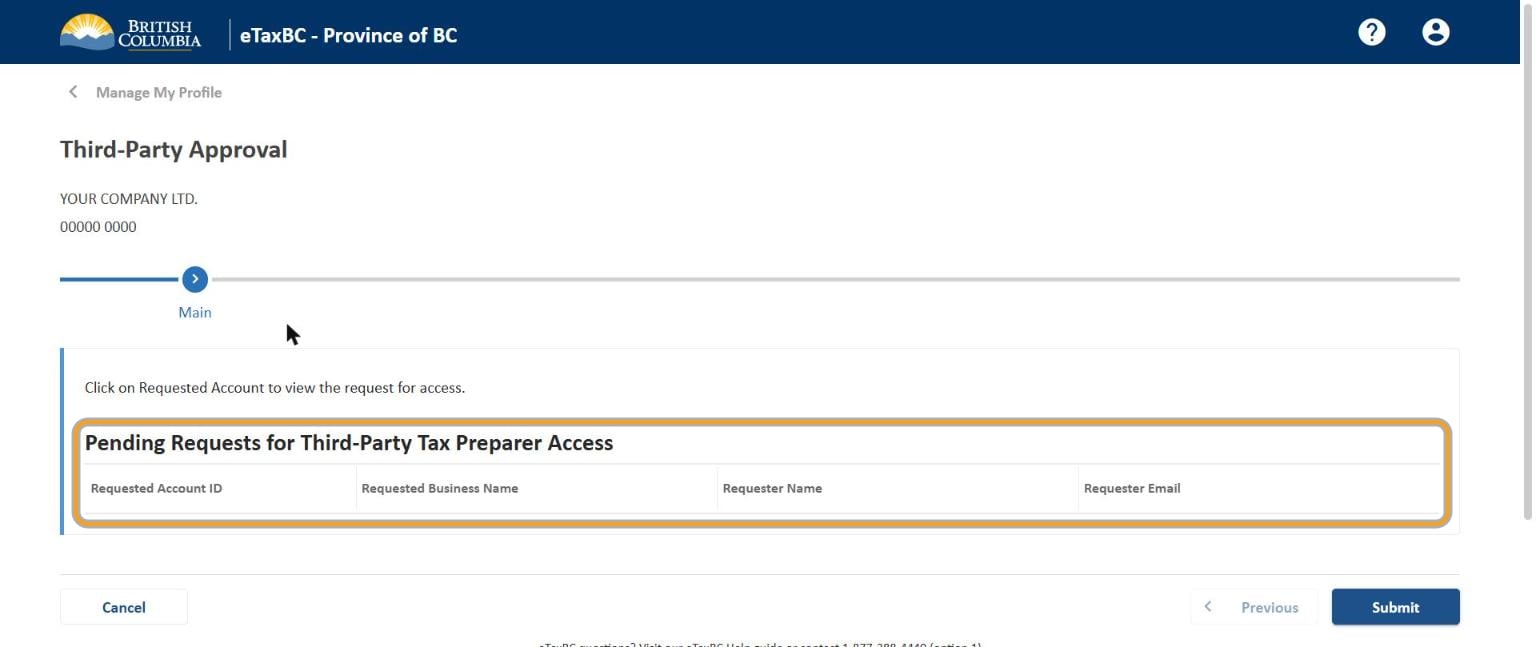
When we've sent our request, eTaxBC emails you. Go back to More... and select View Third-Party Requests for Access. Our request is listed under Pending Requests for Third-Party Tax Preparer Access.
- Select the account number under Requested Account ID.
- Check the requester is Tallyforth Bookkeeping (Labyrinth Holdings Inc.).
- Choose the access level (see below).
- Select Approve, then Submit.
| Level | What it allows |
|---|---|
| View | See the account only |
| File Returns | File PST returns. Choose this if you pay the PST yourself. |
| Make Payments | Pay only |
| File Returns and Make Payments | File and pay. Choose this if we pay your PST for you. |
6. Tell us it's done
eTaxBC tells us too, but mark the eTaxBC request as done on your onboarding page so nothing waits on it.
Common questions
Do I give Tallyforth my eTaxBC password?
No. Never share your logon. Third-party access gives us our own access to your PST account, which you can remove at any time.
How do I remove the access later?
Go to Manage My Profile, More..., Manage Third Party Access, and remove our logon from the list.
I don't collect PST. Do I need this?
No. If you aren't registered for PST, skip this guide.